New Search Page

"Thou shalt love the Lord thy God with all thy heart, and with all thy soul,
and with all thy mind, and with all thy strength" - Mark 12:30

Print This Page

Christian eBooks

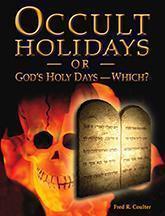
Download digital versions of Fred Coulter's “Occult Holidays or God’s Holy Days—Which?” for your ebook reader or to read on your computer by right-clicking and saving your preferred version below.
PDF | Kindle | Sony Reader | iPad

Book Cover: Occult Holidays or God's Holy


Click here to read more about this title, or to order your FREE, no-obligation printed version today.


Instructions

For PDF version:

To read the PDF version of "Occult Holidays or God's Holy Days - Which?" on your computer, you will need to have the free Adobe Acrobat Reade program installed.  Click the link below if you do not already have it.

Download Free Program from Adobe.

Get Adobe Acrobat Reader


For Kindle, Kindle 2 and Kindle DX:

  1. Both Macintosh and Windows users can manage Kindle files through USB connection. When your Kindle is plugged into your computer, your Kindle will appear as a removable mass storage device.
  2. Connect your Kindle to your computer using the USB cable.
  3. Once your Kindle is connected to your computer and mounted as a USB drive, you will see three default directories or folders. The one called "documents" contains all of your digital reading materials like books, newspapers, etc.
  4. Copy the Kindle Version (.prc) of "Occult Holidays or God's Holy Days - Which?" from your computer into the "documents" folder of your Kindle.

Un-mount Kindle from your computer. You should now see "Occult Holidays or God's Holy Days - Which?" on your Kindle.


For Sony eReader:

To transfer the Sony eReader Version (.lrf) of "Occult Holidays or God's Holy Days - Which?" to your Sony eReader, you need to have the Reader Library installed first. If you haven't done so, you can install Reader Library on your computer from the installation launcher. The installation method varies depending on the computer. Please refer to Sony eReader User Guide for installation instructions.

Once you've installed the Reader Library, follow the steps below to import the eReader Version from your computer to Reader Library (for details, please refer to the Reader Library Help):

Start Reader Library (if not already started).

  1. Click "File" on the menu bar, then click "Import Files."
  2. Select "Occult Holidays or God's Holy Days - Which?"

Transfer it from the Reader Library to the Reader or memory card inserted in the Reader:

Start Reader Library (if not already started).

  1. Click "Library" in the source view, then click the icon for List View.
  2. Select "Occult Holidays or God's Holy Days - Which?" from the list.
  3. Drag it to "Reader" or memory card in the source view.
  4. Close Reader Library.
  5. Un-mount Sony eReader from your computer.

You should now see "Occult Holidays or God's Holy Days - Which?" on your Sony eReader.


For iPad:

  1. Connect your iPad to your computer using the USB cable.
  2. To transfer the iPad Version (.epub) of "Occult Holidays or God's Holy Days - Which?" to your iPad, you need to have the latest version of iTunes installed first.
  3. You also need to have iBooks installed on your iPad. If you haven't done so, go to App Store and search for iBooks. It's Free from Apple.
  4. Then add the "Occult Holidays ..." epub file to your iTunes Library. (Under File Tab, choose Add File to Library. From the next window, open the epub file from your computer.)
  5. Finally, run Sync. "Occult Holidays ..." will automatically appear in your iBooks bookcase where you can open it on your iPad.